
The Starbucks app simplifies the coffee run by putting the entire cafe experience right in the customer’s hands. With this application, you can customised drinks, browse the menu, and place an order effortlessly. However, it replaces waiting time with convenience, helping customers to enjoy better control while skipping lines for every order. Additionally, earning stars, managing payments, and redeeming rewards all become incredibly easy.
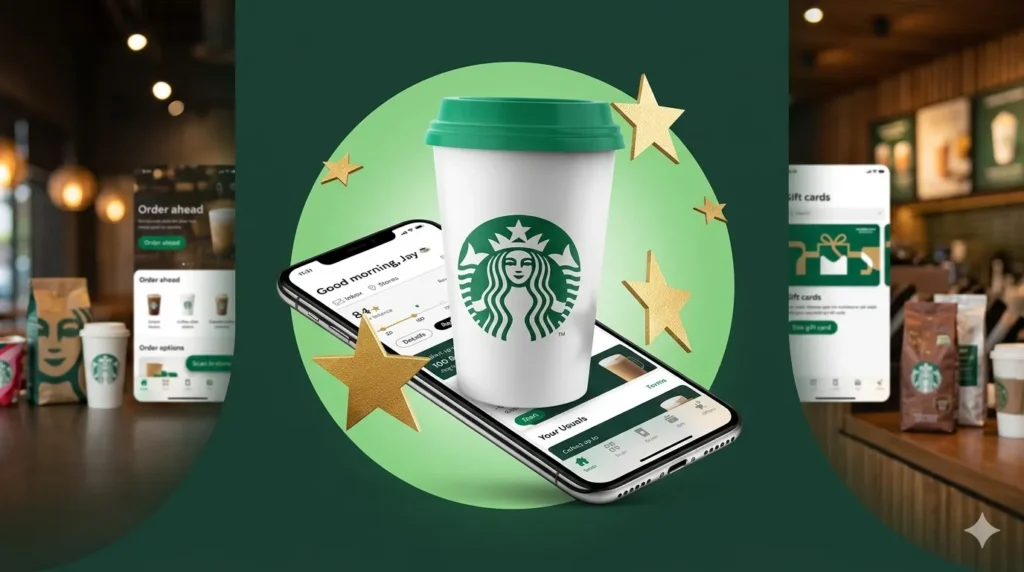
The starbuck app provides real-time updates and stages orders frequently based on their status, catering to customers’ preferences. From unlocking exclusive offers to receiving birthday treats, this app builds a personalized journey through loyalty.
The starbuck’s app’s is a free mobile app available for iPhone and Android devices. It allows users to order ahead, earn Starbucks Rewards, manage Starbucks Cards, check menu items, and find nearby store locations. The guide also explains how to download and install the free starbucks App, fix login issues, and understand the difference between customer, employee, and partner apps. It provides clear information about rewards features, store tools, and app functions in an easy-to-understand format.
How to Download and Install Starbucks App
You can download the Starbucks app from the Apple App Store on iPhone or Google Play on Android. On iPhone, open the App Store, search for “Starbucks,” tap Get, and confirm with Face ID, Touch ID, or your Apple ID password. On Android, open Google Play, search for “Starbucks,” and tap Install. After installation, open the app, create an account or sign in to use Rewards and ordering features.
Benefits Of Using The Starbucks APP
|
Benefit |
Why it helps |
|---|---|
|
Order ahead |
Lets you place and pay for drinks before arriving. |
|
Earn Rewards |
You collect Stars and redeem them for drinks, food, and extras. |
|
Faster pickup |
Reduces waiting time at participating stores. |
|
Store locator |
Helps you find the nearest Starbucks location. |
|
Card management |
Lets you manage Starbucks Cards and reload balances. |
|
Mobile payments |
Supports app-based checkout for convenient ordering. |
How To Use the Starbucks APP?
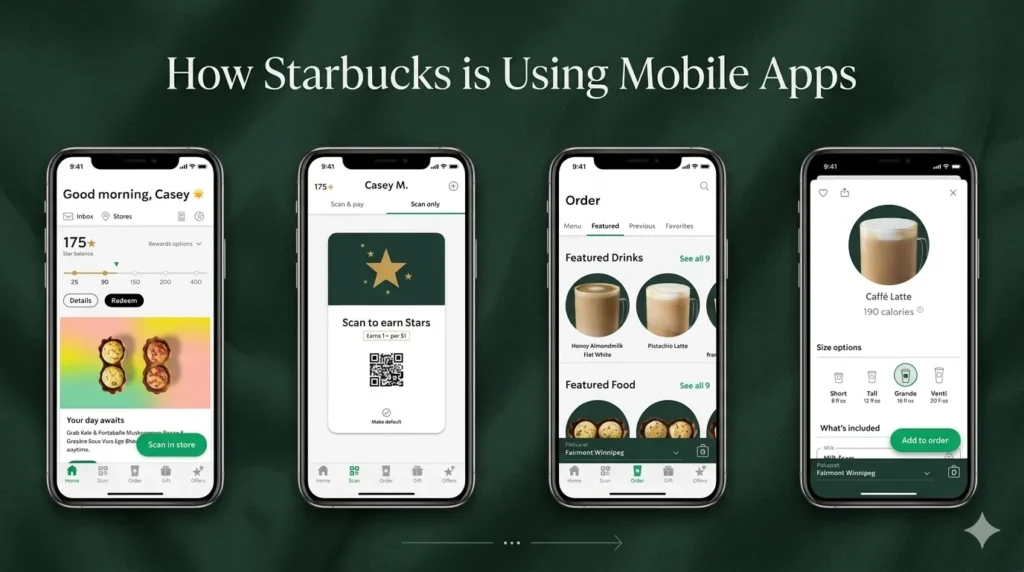
How to Use the Starbucks App for Ordering
Start by signing in or creating a Starbucks account. Choose a nearby store, browse the menu, add items to your cart, customize drinks if needed, and review the pickup time before checking out. You can place your order and pick it up when it is ready.
What You Can Do in the Starbucks App
The app also helps you manage payment methods, earn Stars, and check available rewards. A simple example is choosing a store, selecting a latte, customizing milk or syrup, paying in the app, and picking up the order after preparation.
Features Of The Starbucks App
|
Feature |
What it does |
|---|---|
|
Mobile Order & Pay |
Order and pay before arrival. |
|
Menu browsing |
View food and drink options in the app. |
|
Rewards tracking |
See Stars and available redemptions. |
|
Store finder |
Locate nearby Starbucks stores. |
|
Card management |
Add, reload, and use Starbucks Cards. |
|
Order customization |
Modify drinks and food items. |
|
Pickup timing |
View estimated ready time for orders. |
|
Support access |
Find customer help and contact options. |
Benefits Of The Starbucks Partner APP
|
Benefit |
Description |
|
Schedule access |
View upcoming shifts and work times. |
|
Availability management |
Update or review partner preferences. |
|
Partner info access |
Helps with employee account and portal tasks. |
|
Work-life planning |
Makes shift tracking easier on mobile. |
|
Internal convenience |
Saves time compared with checking work info manually. |
FAQs
Yes, the Starbucks app is free to download and use. You only pay for items you order or buy through the app.
In the app, choose a store, open the menu, and search or browse for the Honey Citrus Mint Tea, which many customers call a “medicine ball”. Customize it if needed, add it to your cart, then place the order for pickup. Starbucks may list menu items by their official names, so the search term may work better than the nickname.
Yes, customers can use the app without a Starbucks Card. Starbucks has allowed mobile order and pay for all customers, and guest checkout can work with other payment methods. However, having a Starbucks Card can make Rewards tracking and reloading easier.
The app includes mobile ordering, payment, Rewards tracking, store lookup, menu browsing, card management, and customization. It is designed to handle the main customer tasks in one app.
You can find the menu by opening the app and selecting a store, then browsing drink and food categories. Starbucks also lists menu and ordering information on its website, and delivery prices may differ from in-store prices. Price details can appear in the app when you choose items for a specific store.
First, verify that your email, password, and account details are correct. If you still cannot sign in, use Starbucks support contact options on the official contact page. Clearing the app cache, updating the app, or resetting your password are also practical troubleshooting steps for common login problems.
Open the App Store, search for Starbucks, tap Get, and confirm the download with Face ID, Touch ID, or your Apple ID password. After installation, open the app and sign in or create an account.
Conclusion:
The Starbucks App is an all-in-one tool for ordering ahead, earning Rewards, finding stores, managing cards, and checking menu options. It helps customers save time and makes repeat purchases easier, while employees can use partner tools for scheduling and work-related information. Using the official Starbucks app and partner resources is the safest way to avoid fake downloads and access useful features.